Minimal Business Card Mockup Set
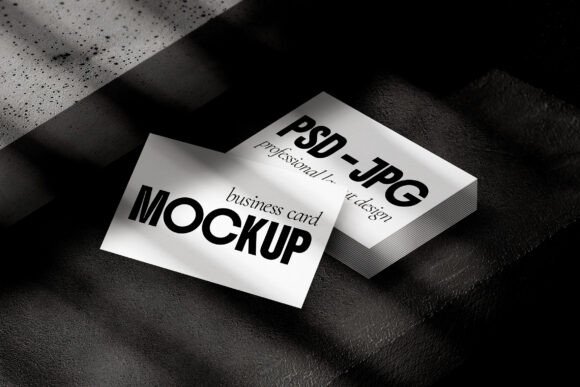
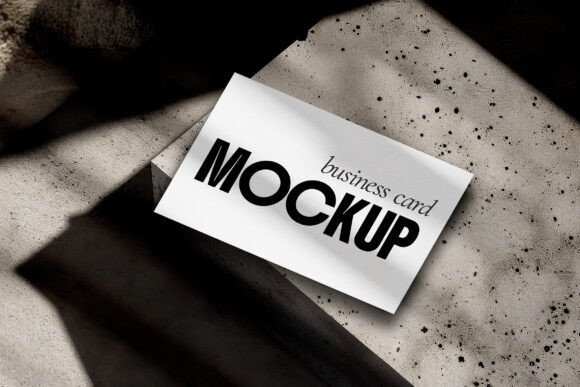
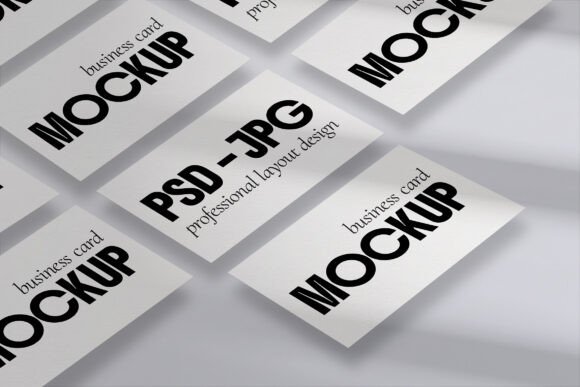
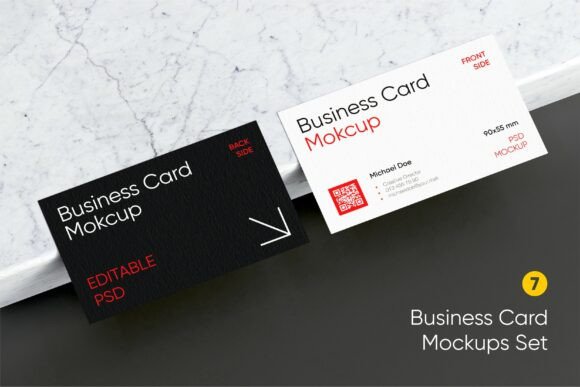
The Minimal Business Card Mockup Set is a collection of nine photorealistic scenes designed to showcase business cards in a clean, elegant, and professional manner. Each scene features black and white card variations, making it easy to highlight the design without distraction. These mockups are ideal for designers, entrepreneurs, and professionals who want to present their work with a modern and sophisticated touch.
Whether you're working on personal branding, corporate identity, or client presentations, this set provides a versatile tool that fits into various stages of the creative process. From initial concept to final delivery, the mockups help visualize how your business card will look in real-world settings.
Integrating the Mockup Set into Your Workflow
Using the Minimal Business Card Mockup Set can enhance your workflow by providing a realistic preview of your designs. Before finalizing a project, you can use these mockups to test different layouts, color schemes, and typography. This helps ensure that your business card meets your expectations and aligns with your brand's visual identity.
During the design phase, the mockups serve as a reference point. They allow you to see how your card might appear in different environments, such as on a marble surface, in a hand, or placed on a desk. This can help you make informed decisions about the placement of text, logos, and other elements.
After the design is complete, the mockups are useful for client presentations. They provide a polished and professional way to show off your work, helping to build trust and confidence in your design skills. Clients can better understand the final product and may be more likely to approve the design when they see it in a realistic context.
Key Features and Benefits
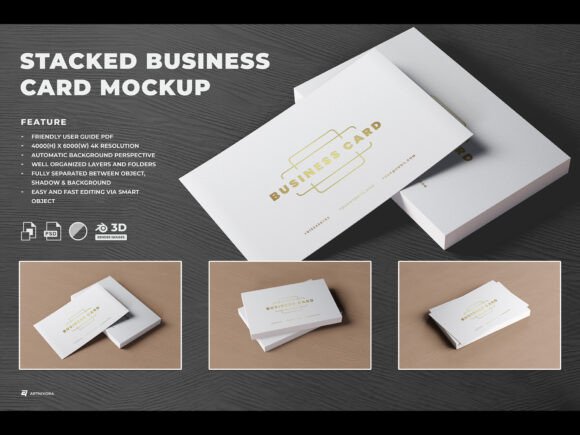
Each PSD file in the Minimal Business Card Mockup Set includes smart objects, which allow for easy editing. This means you can replace the default card design with your own without having to redraw or reformat the entire scene. The high-resolution images ensure that your mockups look sharp and detailed, even when printed or viewed at a larger scale.
The realistic shadows on the marble background add depth and dimension to the mockups, making them more visually appealing. This attention to detail helps create a sense of authenticity, which is crucial when presenting your work to clients or stakeholders.
The black and white variations offer flexibility, allowing you to focus on the design itself rather than color distractions. This is especially useful when testing different concepts or when the final design will be printed in monochrome.
Practical Implementation Tips
To get the most out of the Minimal Business Card Mockup Set, start by organizing your files properly. Create a dedicated folder for the mockups and any associated assets, such as your business card designs. This helps streamline your workflow and makes it easier to locate files when needed.
Before using a mockup, make sure your business card design is finalized and ready for presentation. This includes checking for typos, ensuring all elements are aligned correctly, and confirming that the design meets your client's specifications. A well-prepared design will look more professional when placed into the mockup.
When editing the smart objects, take advantage of the layer structure in Photoshop. This allows you to adjust individual elements, such as the card's position, angle, or lighting, without affecting the rest of the scene. Experimenting with these settings can help you achieve the desired effect for your presentation.
Compatibility and Usability
The Minimal Business Card Mockup Set is compatible with Adobe Photoshop, making it accessible to most designers and creatives. As long as you have a version of Photoshop that supports smart objects, you should be able to use the mockups without issues. For users who prefer other software, consider exporting the final mockup as a PNG or JPEG for easy sharing and integration into other projects.
Usability is another key factor. The mockups are designed to be intuitive, with clear instructions on how to edit and customize them. Even if you're not an advanced user, you should be able to navigate the layers and make adjustments with minimal effort. This makes the set suitable for both beginners and experienced designers.
Organization and Efficiency
Keeping your mockups and related files organized is essential for maintaining efficiency. Consider naming your files in a consistent way, such as including the project name, date, and version number. This helps prevent confusion, especially if you're working on multiple projects at once.
Efficiency also comes from using the mockups strategically. Instead of creating a new mockup for every small change, use the existing ones to test different variations. This saves time and reduces the need for repetitive work. You can also reuse the same mockup across different projects, as long as the design and context match.
Consistency and Quality Control
Maintaining consistency is important when using the Minimal Business Card Mockup Set. Ensure that all mockups used in a presentation follow the same style, lighting, and perspective. This creates a cohesive look and avoids visual inconsistencies that could distract from your message.
Quality control is another aspect to consider. Before sharing a mockup with a client or team member, review it carefully for any errors or imperfections. Check that the card is positioned correctly, the shadows are realistic, and the overall composition looks professional. This helps maintain the integrity of your work and reflects positively on your attention to detail.
Long-Term Use and Value
The Minimal Business Card Mockup Set is a valuable asset that can be used repeatedly across different projects. Its versatility and high-quality design make it a worthwhile investment for anyone involved in branding, marketing, or graphic design. Over time, you'll find that the set becomes an essential part of your toolkit, helping you deliver consistent and professional results.
As your design skills grow, you may also find new ways to utilize the mockups. For example, you could use them to create social media content, portfolio pieces, or even promotional materials. The possibilities are endless, and the set provides a solid foundation for future projects.